Summary: in this tutorial, you’ll learn how to use the Django DeleteView class to define a class-based view that deletes an existing object.
This tutorial begins where the Django UpdateView tutorial left off.
Create a Django DeleteView class #
The Django DeleteView class allows you to define a class-based view that displays a confirmation page and deletes an existing object.
If the HTTP request method is GET, the DeleteViewPOST, the DeleteView
To use the DeleteView class, you define a class that inherits from it and add attributes and methods to override the default behaviors.
For example, the following defines a TaskDelete class that deletes a task for the Todo app:
#...
from django.views.generic.edit import DeleteView, CreateView, UpdateView
from django.contrib import messages
from django.urls import reverse_lazy

from .models import Task

class TaskDelete(DeleteView):
    model = Task
    context_object_name = 'task'
    success_url = reverse_lazy('tasks')

    def form_valid(self, form):
        messages.success(self.request, "The task was deleted successfully.")
        return super(TaskDelete,self).form_valid(form)

#...Code language: Python (python)
In this example, we define the TaskDeleteDeleteView class. The TaskDelete
modelspecifies the class of the model (Task) that will be deleted.context_object_nameDeleteViewclass uses theobjectas the name. However, you can override the name using thecontext_object_namesuccess_urlis the URL that will be redirected to once the object is deleted successfully.form_valid()
By default, the DeleteView class uses the task_confirmation_delete.html template if you don’t specify it explicitly.
Creating task_confirm_delete.html template #
Create a new file task_confirm_delete.html template in the templates/todo app with the following code:
{%extends 'base.html'%}

{%block content%}
<div class="center">
	<form method="post" class="card">
		{% csrf_token %}
		<h2>Delete Task</h2>
		<p>Are you sure that you want to delete "{{task}}"?</p>
		<p class="form-buttons">
			<input type="submit" class="btn btn-primary" value="Delete">
			<a href="{% url 'tasks'%}" class="btn btn-outline">Cancel</a>
		</p>
	</form>
</div>

{%endblock content%}Code language: HTML, XML (xml)
The task_confirm_delete.html extends the base.html template and contains a form that deletes a task.
Defining a route #
Define a new route in the urls.py that maps a URL that deletes a task with the result of the as_view() method of the TaskDelete view class:
from django.urls import path
from .views import (
    home,
    TaskList,
    TaskDetail,
    TaskCreate,
    TaskUpdate,
    TaskDelete
)


urlpatterns = [
    path('', home, name='home'),
    path('tasks/', TaskList.as_view(),name='tasks'),
    path('task/<int:pk>/', TaskDetail.as_view(),name='task'),
    path('task/create/', TaskCreate.as_view(),name='task-create'),
    path('task/update/<int:pk>/', TaskUpdate.as_view(),name='task-update'),
    path('task/delete/<int:pk>/', TaskDelete.as_view(),name='task-delete'),
]Code language: Python (python)
Including a link to delete a task #
Modify the task_list.html template to add a link that deletes a task to each task on the task list:
{%extends 'base.html'%}

{%block content%}

<div class="center">
	<h2>My Todo List</h2>
	{% if tasks %}
	<ul class="tasks">
		{% for task in tasks %}
			<li><a href="{% url 'task' task.id %}" class="{% if task.completed%}completed{%endif%}">{{ task.title }}</a>
				 <div  class="task-controls">
				 	<a href="{%url 'task-delete' task.id %}"><i class="bi bi-trash"></i> </a>
					<a href="{%url 'task-update' task.id %}"><i class="bi bi-pencil-square"></i></a>
		         </div>
		    </li>
		{% endfor %}
	{% else %}
		<p>? Yay, you have no pending tasks! <a href="{%url 'task-create'%}">Create Task</a></p>
	{% endif %}
	</ul>
</div>
{%endblock content%}
Code language: HTML, XML (xml)
If you click the delete button to delete a task on the list, you’ll get the following delete confirmation page:

Click the Delete button will delete the task from the database and redirect it back to the task list:
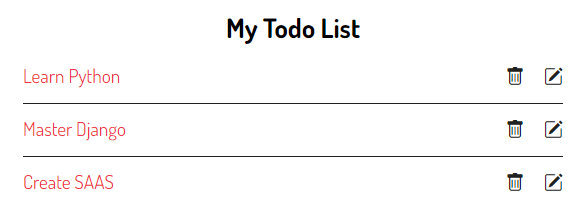
You can download the final code for this Django DeleteView tutorial here.
Summary #
- Use Django
DeleteViewclass to define a class-based view that deletes an existing object.

